
How to Reduce Email Bounce Rate
By Rodylyn Villaflores · Co-Founder, LastDatabase
Published: 19 Jun 2026 · Updated: 24 Oct 2026 · Views: 729
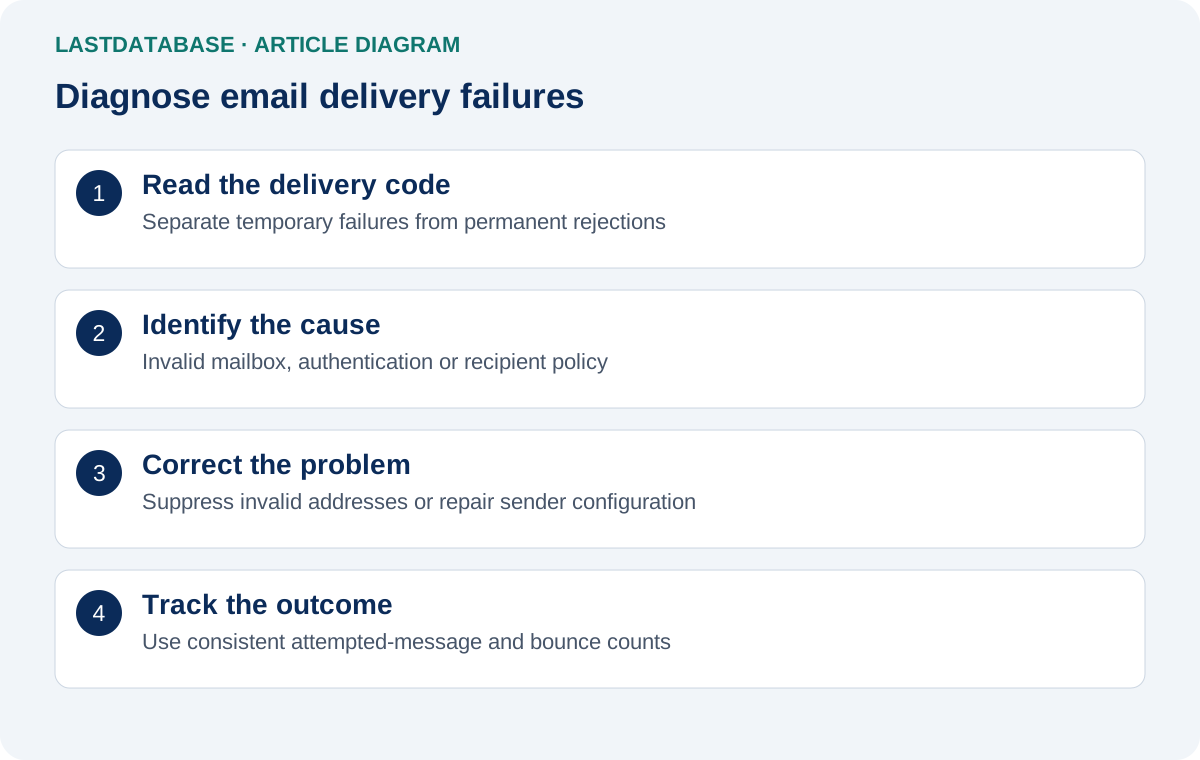
Reducing email bounces starts with identifying why messages failed. Invalid mailboxes, temporary delivery problems, and authentication rejections require different responses.
Replacing addresses will not repair a sending-domain configuration problem. Repeated retries will not restore a mailbox that no longer exists.
Calculate bounce rate consistently
Bounce rate = bounced messages divided by attempted messages, multiplied by 100.
Define the reporting period and count each message once. Keep temporary delays separate until their final delivery outcome is known.
Illustrative example: If 20 of 1,000 attempted messages end in a bounce, the rate is 2%.
This is a hypothetical calculation, not a LastDatabase performance claim. Sending platforms can use different reporting definitions.
Break results down by recipient domain, data source, and sending system. A single average can hide a concentrated problem.
Read the delivery code
RFC 3463 distinguishes temporary and permanent failures through enhanced status-code classes. A 4.x.x response indicates temporary failure; 5.x.x indicates permanent failure.
A permanent failure does not always mean the address is invalid. Authentication and recipient-policy rejections can also produce permanent responses.
- Mailbox does not exist: Suppress the invalid address from future campaigns.
- Temporary deferral: Follow provider retry behavior and investigate repeated delays.
- Authentication rejection: Inspect sender configuration and message headers.
- Policy rejection: Review the complete response, sending reputation, and recipient restrictions.
These are diagnostic categories, not universal interpretations of every response. Preserve the full error message when investigating.
Clean and validate the audience
- Remove accidental whitespace and obvious formatting errors.
- Check malformed addresses and invalid domains without guessing replacement addresses.
- Deduplicate recipients using documented normalization rules.
- Apply unsubscribe, complaint, and invalid-address suppression records.
- Validate addresses close to the intended sending date.
- Separate invalid, risky, and inconclusive results.
An inconclusive result is not confirmation of a valid mailbox. A domain accepting every recipient does not confirm individual addresses.
Verification assesses technical signals, not consent. It also cannot guarantee delivery or inbox placement.
Review verification documentation and data-quality information for supported workflows and limitations.
Check sender authentication
Google recommends SPF, DKIM, and DMARC for email authentication. Applicable requirements vary with sending volume and message type.
- SPF: Confirm that the relevant domain authorizes your sending service.
- DKIM: Check that messages carry a valid signature.
- DMARC: Review authentication alignment with the visible From domain.
- Infrastructure: Check applicable TLS, DNS, and reverse-DNS requirements with your sending provider.
Inspect actual message headers and provider reports. Authentication alone does not guarantee inbox placement.
Do not change DNS records blindly. Obtain configuration instructions specific to your sending account.
Run controlled tests
Begin with a small, appropriate audience. Review outcomes before increasing sending volume.
If failures cluster at one recipient domain, investigate that domain's responses. If failures cluster by source, review that source's records.
Change one relevant factor at a time. Record the action and compare results using consistent definitions.
Monitor complaints and unsubscribes alongside bounces. Accepted messages can still enter spam folders or reach uninterested recipients.
Preserve suppression across systems
Keep invalid-mailbox failures, unsubscribes, and complaints out of future campaigns. Apply exclusions before reimporting older records.
Synchronize suppression across the CRM, sending platform, and exports. A new import should not erase exclusion history.
For temporary failures, follow documented retry rules. Avoid automatically deleting every deferred address or retrying indefinitely.
A practical investigation example
Suppose one campaign reports invalid mailboxes and authentication rejections. Treat these as separate problems.
Suppress invalid mailboxes and review their source. Investigate authentication failures with the sending provider.
After correcting configuration, test with eligible recipients. Compare failure categories using the same reporting definitions.
This example describes a process, not a guaranteed result or a customer case study.
Frequently asked questions
Will a newer list eliminate bounces?
No. New records can contain address risks, while sender-side problems can affect otherwise valid recipients.
Does a low bounce rate prove good deliverability?
No. It does not measure inbox placement, complaints, interest, or conversion.
Should every permanent failure be treated as an invalid address?
No. Read the full response. Authentication and policy problems require different corrective actions.
Can I market to every verified address?
No. Apply relevant marketing requirements and recipient preferences. Verification does not establish permission.
What should I record after investigating?
Keep the failure code, affected segment, diagnosis, corrective action, and subsequent test result.
Sources
About the Author
Rodylyn Villaflores
Co-Founder, LastDatabase
Rodylyn Villaflores is Co-Founder of LastDatabase. She contributes to LastDatabase educational content covering B2B data, lead generation, sales prospecting, data quality, and responsible data use.
View author profile →