
1. Enter a person
Provide the person's name and country. Requiring both fields makes the search more specific.
Search LastDatabase using a person's name and country. Review matching professional records and open the corresponding lead-detail page for additional information.
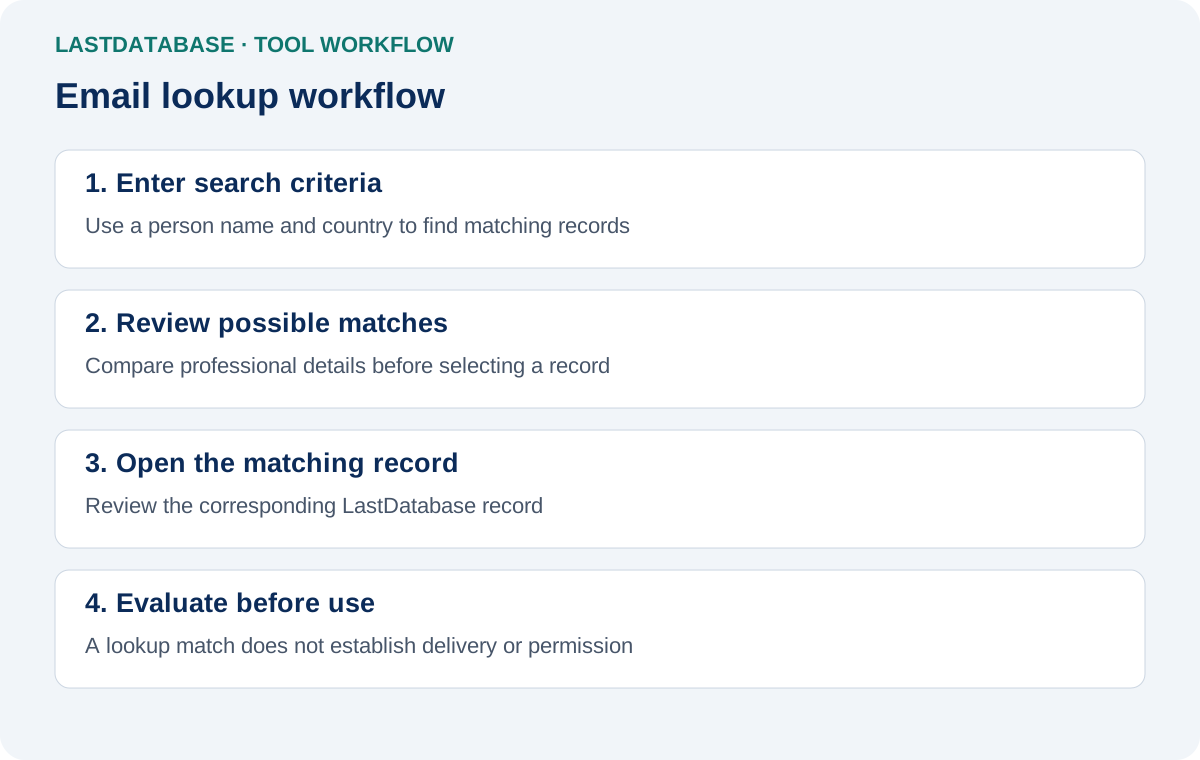
Email lookup helps locate business-contact records when you know identifying information about a person. Instead of starting with an email address, you start with a name and location. LastDatabase searches its business-contact inventory for matching records.
Provide the person's name and country. Requiring both fields makes the search more specific.
Matching previews can include professional and geographic context where those fields are present.
Each match links to its existing LastDatabase lead-detail page for record-level information.
Lookup is designed for discovery. Verification is designed to evaluate an email address that you already have. Keeping these workflows separate makes the purpose of each tool clear.
| Tool | You start with | Purpose |
|---|---|---|
| Email Lookup | Person name and country | Discover matching business-contact records. |
| Email Verifier | An email address | Assess the supplied email using supported verification signals. |
Available records may contain fields such as name, company, job title, industry, city, state and country. Field availability varies by record. A search result should be treated as a candidate match rather than proof that two records from different datasets identify the same person.
Find candidate business records before reviewing the full record and deciding whether it fits your outreach criteria.
Use known identity and location information to locate potentially relevant professional records.
Move directly from a matching preview to the canonical LastDatabase lead-detail URL.
Search results depend on the information available in LastDatabase and may not identify every person. Users remain responsible for evaluating relevance, applicable privacy requirements, suppression requirements and permitted outreach practices for their use case.
The public lookup requires a person's name and country. Both fields are required to reduce broad inventory searches.
No. Email Lookup searches for matching business records. Use the LastDatabase Email Verifier when you already have an email address and want a verification assessment.
The public lookup response provides preview fields and a link to the corresponding lead-detail page. It does not return raw email values.
Requiring both values narrows the search and helps prevent the public lookup interface from becoming a broad inventory-enumeration endpoint.
Yes. More than one record can match the supplied information. Review the professional and geographic context before selecting a record.
Use Email Verifier when discovery is not required and you want to assess an email address you already know.
Open Email Verifier →