Step 1
Create Audience
Create a named recipient audience for the campaign.
Create audiences, import contacts, prepare campaign content, use email verification signals, apply suppression controls and submit campaigns through a mandatory staff compliance and abuse review workflow.
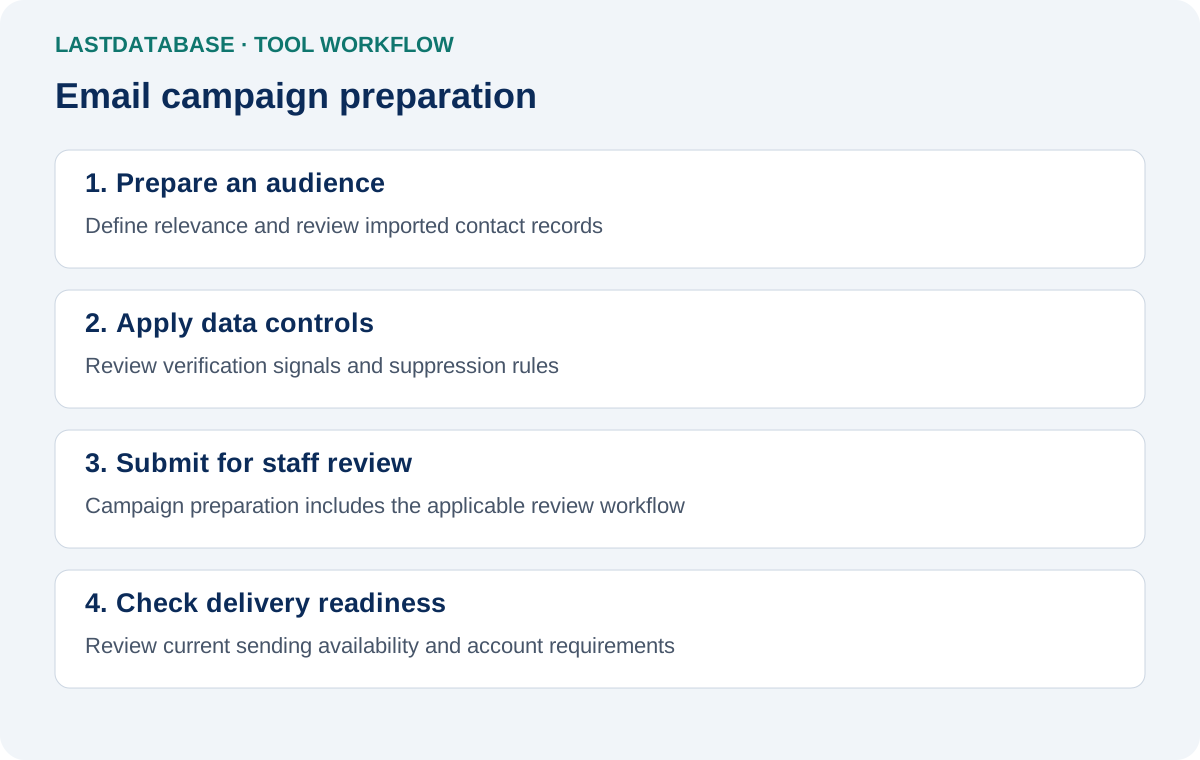
LastDatabase separates audience preparation, campaign content, review and delivery controls into distinct stages.
Create a named recipient audience for the campaign.
Import customer-owned contacts. LastDatabase lead integration is part of the planned workflow.
Apply verification signals, suppression and recipient-status controls.
Configure sender information, subject, preview text and message.
Submit the exact campaign version for mandatory staff review.
Recheck approval, content integrity, account status and recipient eligibility.
Approved eligible recipients move into the planned asynchronous delivery queue.
The planned delivery layer uses controlled sending workers and delivery infrastructure.
Delivery, bounce, complaint, unsubscribe and click events update campaign records.
Planned reporting summarizes campaign delivery and engagement signals.
Manage the major stages of campaign preparation without combining every operation into one uncontrolled send action.
Create audiences and organize recipient records separately from campaign content.
Import external customer contact lists with contact and permission information.
Use LastDatabase verification signals to help classify addresses before campaign eligibility.
Maintain recipient status for unsubscribe, hard bounce, complaint and manual suppression.
Configure audience, sender, reply-to, subject, preview text, HTML and plain-text content.
Review campaign information and message content before submitting the campaign for staff review.
Campaigns enter a staff compliance and abuse review process before they can advance toward delivery.
Approval is associated with the reviewed campaign version so material changes can require another review.
The planned delivery layer records delivery, bounce, complaint, unsubscribe and click events.
Customers prepare and submit campaigns. LastDatabase staff can review campaign information and then approve it, request changes or reject it.
Approval is designed to remain tied to the reviewed campaign content. Material changes can invalidate the previous approval and require another review.
Staff review is a compliance and abuse-control measure. It does not guarantee legal compliance for every recipient, jurisdiction or use case.
Email Campaigns is being deployed in controlled phases. Campaign-management functionality is available first, followed by the delivery layer.
Choose a monthly sending allowance based on your campaign volume.
Explore the campaign workspace with a small sending allowance.
Start FreeA low-cost plan for testing smaller campaign workflows.
Choose TrialFor recurring small-business email campaign operations.
Choose BasicFor teams managing larger recurring campaign volumes.
Choose BusinessHigher monthly capacity for established campaign operations.
Choose EnterpriseLarge monthly sending allowance for high-volume operations.
Choose PremiumLastDatabase lead access, Email Verifier credits and Email Campaigns sending allowances are separate services. Accessing a lead does not automatically provide verification credits or campaign sending allowance.
It is an audience and campaign management workspace designed to combine contact preparation, verification signals, suppression controls, campaign creation, staff review and controlled delivery architecture.
Yes. The current audience workflow supports external CSV contact imports.
Yes. Campaigns use a mandatory staff compliance and abuse review workflow. Staff can approve, request changes or reject a campaign.
No. Email verification is a point-in-time technical assessment. It cannot guarantee future deliverability.
Integration of eligible LastDatabase lead records into campaign audiences is part of the planned campaign workflow.
No. Lead access, Email Verifier credits and Email Campaigns sending allowances are separate.
The delivery architecture is designed to record unsubscribe status and exclude suppressed recipients from subsequent eligible campaigns.
The Free plan includes 50 email sends. Paid monthly plans range from $5 for 500 sends to $2,000 for 1,000,000 sends.
Create an audience, prepare your campaign and submit it through the LastDatabase campaign review workflow.