B2B Marketing Data Guide
By Rodylyn Villaflores · Co-Founder, LastDatabase
Published: 19 Jun 2026 · Updated: 24 Oct 2026 · Views: 499
B2B marketing data connects information about businesses with the people and workflows involved in a buying process. Useful data supports a defined task, such as account research, segmentation, or CRM maintenance.
Start with the decision you need to make. A larger contact file is not automatically a better match for your market.
Distinguish the data types
| Data type | Examples | Evaluation question |
|---|---|---|
| Company information | Domain, location, industry, employee range | Does this business match the account criteria? |
| Contact information | Name, employer, role, business contact channel | Is the person relevant to the buying process? |
| Technology information | Reported use of a software product | What evidence and observation date support the classification? |
| Your engagement data | Replies, meetings, customer interactions | Was the event recorded consistently and linked to the right account? |
Do not treat a technology label or contact record as evidence of purchase intent. Each attribute needs an appropriate interpretation.
Write an account selection rule
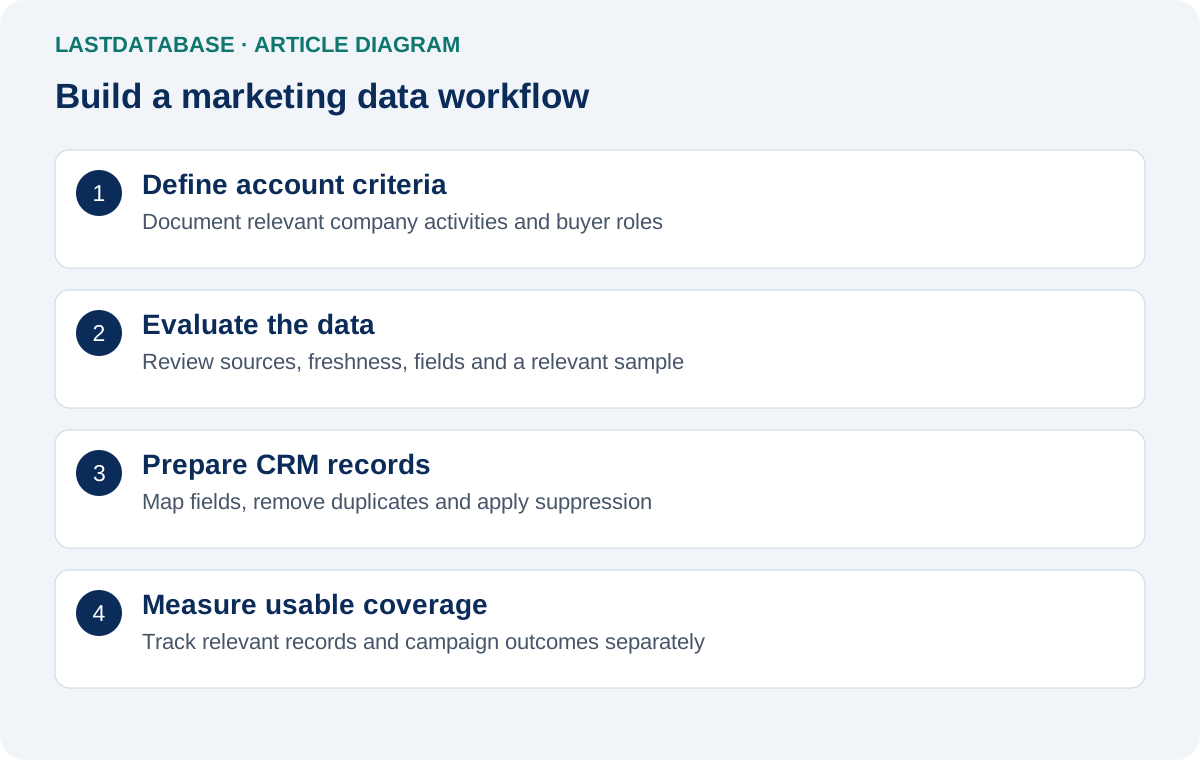
Specify country, company activity, size, and buyer responsibilities. List exclusions, including competitors, existing customers, and accounts outside your service area.
Illustrative example: A customer-support software supplier might evaluate UK software companies and support operations managers.
The example is a targeting exercise, not a claim about available LastDatabase coverage. Confirm the fields and matching inventory before ordering.
Evaluate the sample against your rule
Request a sample relevant to your intended audience. A general sample can look complete while containing few useful accounts.
- Check whether company names match their domains.
- Review whether contacts still have the stated employer and responsibility.
- Measure missing values in required fields.
- Identify duplicate contacts and duplicate companies.
- Check country and industry definitions.
- Record the number of usable rows and reasons for rejection.
Document your assessment so another reviewer can repeat it. Do not infer overall quality from a few attractive examples.
Review source information and freshness
Ask how records were obtained, when attributes were observed, and how updates are handled. Collection, enrichment, and verification dates describe different events.
A recent address check does not prove that a job title or employer is current. Request field-level dates where they are available.
Confirm permitted use and relevant recipient preferences. Verification of an address does not establish permission to send marketing.
Prepare the CRM import
Choose an account matching key, such as a normalized company domain. Decide how contacts will be matched and which existing fields may be updated.
Preserve suppression records and avoid overwriting reliable values with blanks. Test field mapping on a small import and review the result.
Keep source labels and import dates so you can trace later corrections. Confirm supported integration behavior in the current documentation.
Measure value after selection
Compare the cost per usable record rather than the cost per supplied row. Track useful account coverage separately from delivery and campaign outcomes.
Review prospecting measurement methods to keep campaign denominators consistent.
Browse B2B country packages, industry pages, and technology pages against your written selection criteria.
About the Author
Rodylyn Villaflores
Co-Founder, LastDatabase
Rodylyn Villaflores is Co-Founder of LastDatabase. She contributes to LastDatabase educational content covering B2B data, lead generation, sales prospecting, data quality, and responsible data use.
View author profile →